Designing a SharePoint Intranet That Employees Actually Want to Use
Most organizations have a SharePoint intranet. Far fewer have one that employees actually use. The technology is more than capable of delivering a great experience, but the gap between what SharePoint can do and what most intranets actually deliver almost always comes down to design.
When the intranet is confusing to navigate, employees stop going. When search returns unhelpful results, they ask a coworker instead. When the homepage feels like a stale bulletin board, it gets ignored. None of these are technology failures. They’re design failures, and they’re fixable. Here’s what good SharePoint intranet design actually looks like.
Navigation That Needs No Explanation
Over complicated navigation is the most common UX failure in SharePoint intranets. Too many links crammed into the global nav, subsites nested inside other subsites, and naming conventions that make sense to IT but nobody else. Employees should be able to orient themselves instantly, not spend two minutes hunting for a policy document they know exists somewhere.
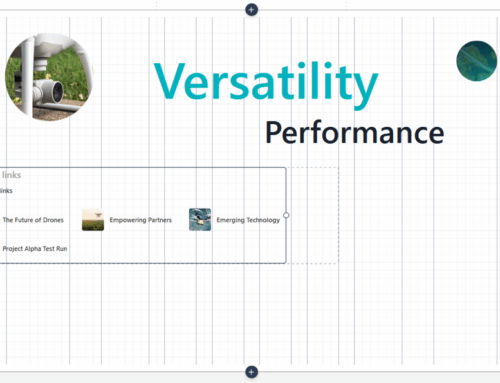
A well-designed modern SharePoint intranet uses hub sites and flat navigation structures built around how employees actually work, with a global nav limited to true top-level destinations like HR, IT, Operations, and News. Each hub then surfaces contextual links for its specific audience rather than dumping everything on one menu. The language matters too: plain, role-familiar terms consistently outperform internal acronyms and department-speak. The standard to aim for is that any employee, on day one, can find what they need without asking for help.
Learn more about SharePoint intranet navigation design.
A Homepage Worth Opening
The intranet homepage sets the tone for every other interaction. If it’s cluttered, stale, or generic, employees form a habit of skipping it, and that habit is hard to break.
High-performing intranet homepages balance communication, navigation, and personalization without trying to do everything at once. That means a curated news feed with recent company updates, quick links to the tools and pages people use most, and a visual layout with enough breathing room to feel like an intentional destination rather than an internal directory. SharePoint’s modern page editor and web parts make all of this achievable without custom development. The harder part is the editorial discipline of knowing what to show and what to leave out.
No need to start from scratch, the SharePoint Look Book offers an organization home template that is a great jumping off point.
Personalization and Audience Targeting
A frontline worker in a distribution center and a finance manager working remotely have almost nothing in common in terms of what they need from the intranet on a given day. Showing them the same content is a missed opportunity at best, and actively frustrating at worst.
SharePoint Online supports audience targeting natively through Microsoft 365 groups and Entra ID attributes, which means department-specific announcements can reach only the teams they’re relevant to, quick links can reflect the actual tools each role uses, and news or policy updates can be filtered by location, job function, or division. When the intranet feels like it was built for each employee rather than for the organization in the abstract, adoption follows.
Search That Actually Works
Microsoft Search in SharePoint Online is genuinely powerful, but most intranets underuse it and employees pay the price. When someone types a query and gets a wall of irrelevant results, they close the tab and ask someone directly. That’s a productivity loss that compounds across hundreds of people every day.
Improving search starts with promoting top results for the queries employees run most often: benefits enrollment, IT helpdesk, expense reports, onboarding documents. It also means consistent content tagging and metadata so files surface correctly and building out acronym definitions and bookmarks for the internal terms people actually search. Search is often the fastest path to intranet adoption because the payoff is immediate and obvious.
Visual Design and Branding
An intranet that looks like an unmodified Microsoft template quietly signals that no one invested much thought in it. Employees pick up on that, even if they never articulate it, and it affects how seriously they take the content inside.
Good intranet user experience design means bringing your brand into the environment intentionally, with your colors, typography, logo, and imagery applied in a way that feels considered rather than bolted on. Utilizing the SharePoint Brand Center allows you to ensure all experiences follow your brand standards and SharePoint’s theme engine supports customization as well, but it requires careful configuration. Visual hierarchy matters just as much as branding: clear headers, well-structured cards, and consistent spacing guide the eye and let employees scan quickly without having to read every line.
Mobile Accessibility
SharePoint Online and the Viva Connections app make mobile-friendly intranets entirely achievable, but pages designed for a desktop often fall apart on a phone without deliberate attention. For organizations with frontline or field-based workers, this isn’t a secondary consideration. Mobile is the primary access point, and if the experience is poor, those employees are effectively cut off from the intranet entirely. Focusing on simplified navigation, clean page layouts, and testing on a multitude of devices is key. Designing for mobile from the start is far less expensive than retrofitting it later.
Getting the Strategy Right Before You Build
Each of the elements above requires more than technical configuration. They require a clear understanding of your workforce, your content, and your organizational goals before a single page gets published. That upfront strategy work is where most intranet projects cut corners, and it’s usually why they struggle after launch.
Compass365’s SharePoint Intranet Strategy and Roadmap service is built around that planning phase. The engagement begins with a strategic assessment that evaluates your current digital workplace, identifies gaps in how people find and use information, and aligns on what employees and stakeholders actually need. From there, Compass365 works with your team to define functional and UX requirements, set measurable success metrics around adoption and engagement, and build a phased roadmap with clear timelines and milestones.
Design and implementation follow with the same structured rigor: site architecture, content hierarchy, and navigation are planned before building starts, and stakeholder feedback is gathered continuously to keep decisions grounded in real user needs. Compass365 also handles go-live preparation, change management, training, and post-launch evaluation so the transition is smooth and the metrics actually get tracked.
Because a good intranet should grow with your organization, the engagement includes governance frameworks and continuous improvement processes to keep things working as business needs and Microsoft 365 capabilities evolve. Whether you’re building your first intranet or modernizing one that has outgrown its original design, this is the kind of structured approach that gets you to a result employees will actually use.
Frequently Asked Questions
SharePoint intranets are embedded in your Microsoft 365 environment, which means design decisions intersect with permissions, governance, and integrations like Teams and Outlook in ways a public website never has to consider. The UX principles are broadly similar, but navigation, content targeting, and search all behave differently inside SharePoint. Getting those elements right requires both design judgment and genuine platform experience.
The biggest gains usually come from restructuring navigation, updating the homepage layout, and enabling audience targeting — none of which require tearing down what you have. A focused content audit and UX review can identify exactly where employees are dropping off and what changes will have the most impact. Compass365 regularly works with organizations that want to improve an existing intranet rather than replace it.
Yes. SharePoint Online includes native audience targeting through Microsoft 365 groups and Entra ID attributes, which means news posts, quick links, and web parts can all be scoped to specific roles, departments, or locations without custom development. It does require upfront planning to configure correctly, but the capability is built into the platform.
Lack of upfront planning. Most intranet failures are strategic rather than technical. Organizations start building before they’ve clearly defined what the intranet is supposed to accomplish, who the primary audiences are, and how content will be governed over time. Without that foundation, even a well-built intranet becomes difficult to use and nearly impossible to maintain as it grows.
A well-planned intranet project typically runs three to six months from discovery through launch, depending on the size and complexity of the organization. Skipping the planning phase rarely saves time overall because architecture and navigation decisions that weren’t made upfront get revisited during the build. Compass365’s SharePoint Intranet Strategy and Roadmap service invests in that planning work deliberately, producing a phased roadmap with defined milestones so the build phase moves faster and with fewer course corrections.