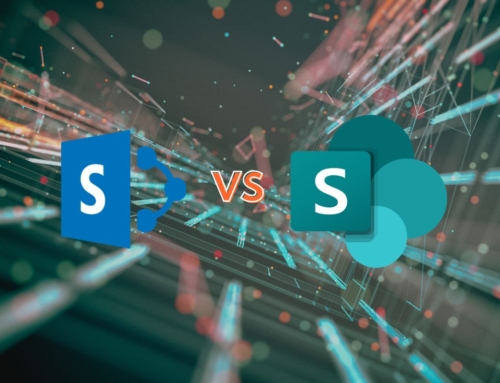
July 14, 2026 is the official end‑of‑support date for both SharePoint Server 2016 and SharePoint Server 2019. After almost 25 years of SharePoint Server this marks a definitive conclusion to the traditional on‑premises SharePoint model.
Running SharePoint Server beyond July 2026 means:
- No more security updates or patches—leaving systems vulnerable
- Risk of system instability and major business disruptions
- Rising costs for emergency remediation with no extended support available
| Product | Start Date | Mainstream End Date | Extended End Date |
|---|---|---|---|
| SharePoint Server 2016 | May 1, 2016 | July 13, 2021 | July 14, 2026 |
| SharePoint Server 2019 | October 22, 2018 | January 9, 2024 | July 14, 2026 |
If you’re on SharePoint 2016 or 2019, it’s time to start planning your transition.
Your Options: Migrate or Upgrade
Migrate to SharePoint Online (Microsoft 365)
- Fully managed cloud service with continual feature updates
- Modern interface, collaboration tools, and integrations
Upgrade to SharePoint Server Subscription Edition (SE)
- On‑premises alternative under Modern Lifecycle Policy
- No fixed retirement date—rolls out modern experiences and biannual updates
Related Retirements to Keep Your Eye On
The following services will also need to be updated:
- SharePoint Add-in model & Azure ACS: Final retirement by April 2026
- SharePoint 2013 workflows: Will stop functioning in the same timeframe
- InfoPath 2013 and InfoPath Forms Services: End of support and retirement on July 14, 2026
- InfoPath 2013 client will reach the end of extended support
- Existing InfoPath forms in SharePoint Online will stop functioning
Waiting risks critical functionality loss across web parts, workflows, and custom solutions.
What You Should Do Today
- Audit your environment: Identify servers, custom workflows, add-ins, or classic UI elements.
- Choose your path: Migrate to Online: Best for “cloud-first” digital transformation.
- Upgrade to Subscription Edition: Ideal for those with compliance or data sovereignty needs, easing into modernization.
- Plan your timeline: Migration can take anywhere from 3 months to 2 years depending on complexity. Earlier planning = smoother execution.
Time is running out—July 14, 2026 isn’t just a date; it’s a compliance deadline. Whether you’re fully embracing Microsoft 365 or sticking with on‑prem, the clock is ticking. Start planning now to avoid costly downtime and missed opportunities.
Compass365 Can Help
Partnering with Compass365, a Microsoft Solutions Partner, gives you:
- Expert guidance on choosing between Online vs. SE
- Robust migration roadmap and planning
- Full implementation and change management support
- Workflow modernization
- Add‑in and custom solution migration
Contact us today to book a complementary migration strategy session and build your path forward.
Free SharePoint Migration Discovery Sessions
Start your enterprise migration planning with two complimentary discovery sessions led by a Compass365 Microsoft Solutions Architect. We’ll conduct a detailed analysis of your current sites, addressing complexities like InfoPath, Designer Workflows, Add-ons, and Custom Code. You’ll receive actionable recommendations, a tailored budget, and a clear timeline for a seamless migration to SharePoint Online.